How do I change the date range in Looker Studio reports?
In Position Tracking Connector reports, the date range defaults to Last 28 days (excluding today), and can be changed from the right side menu:
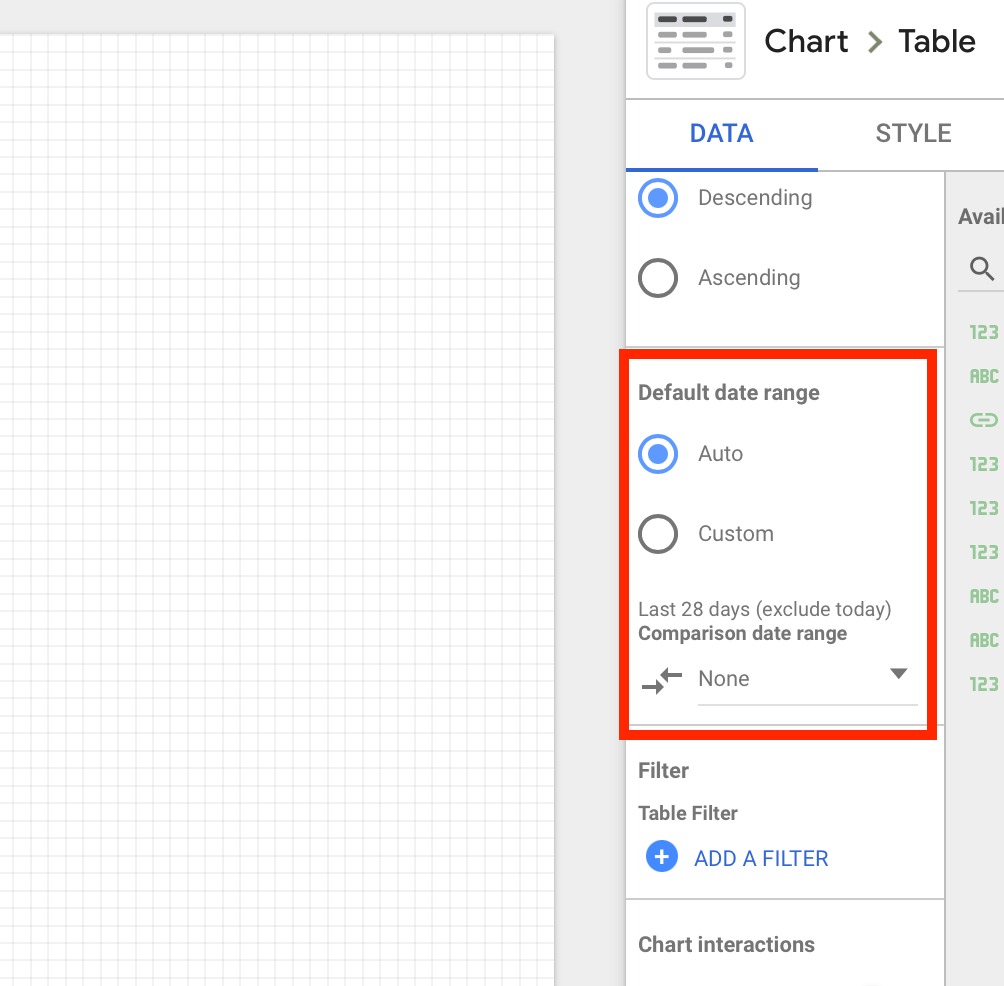
In Domain Analytics connector, the only report that allows to change the date range is the Domain History report (all other reports will show up-to-date data). For Domain History, you can also change date range from the right side menu.
 Terug naar Integraties categorie